Call Detail Records: What It Is and Why It Matters
Every time a phone call happens through a business system, something behind the scenes quietly logs it, who called, when, how long it lasted, and how it ended. That log is the foundation “call detail records” this topic is built around, and even though it sounds like dry technical paperwork, it’s actually one of the more useful things a business has for understanding how its phones are really being used.
Most people never think about this data until they need it, a billing dispute, a compliance request, or just trying to figure out why a customer says they called three times and nobody has record of it. Understanding what these records actually contain, and what they don’t, saves a lot of confusion down the line.
What Are Call Detail Records?
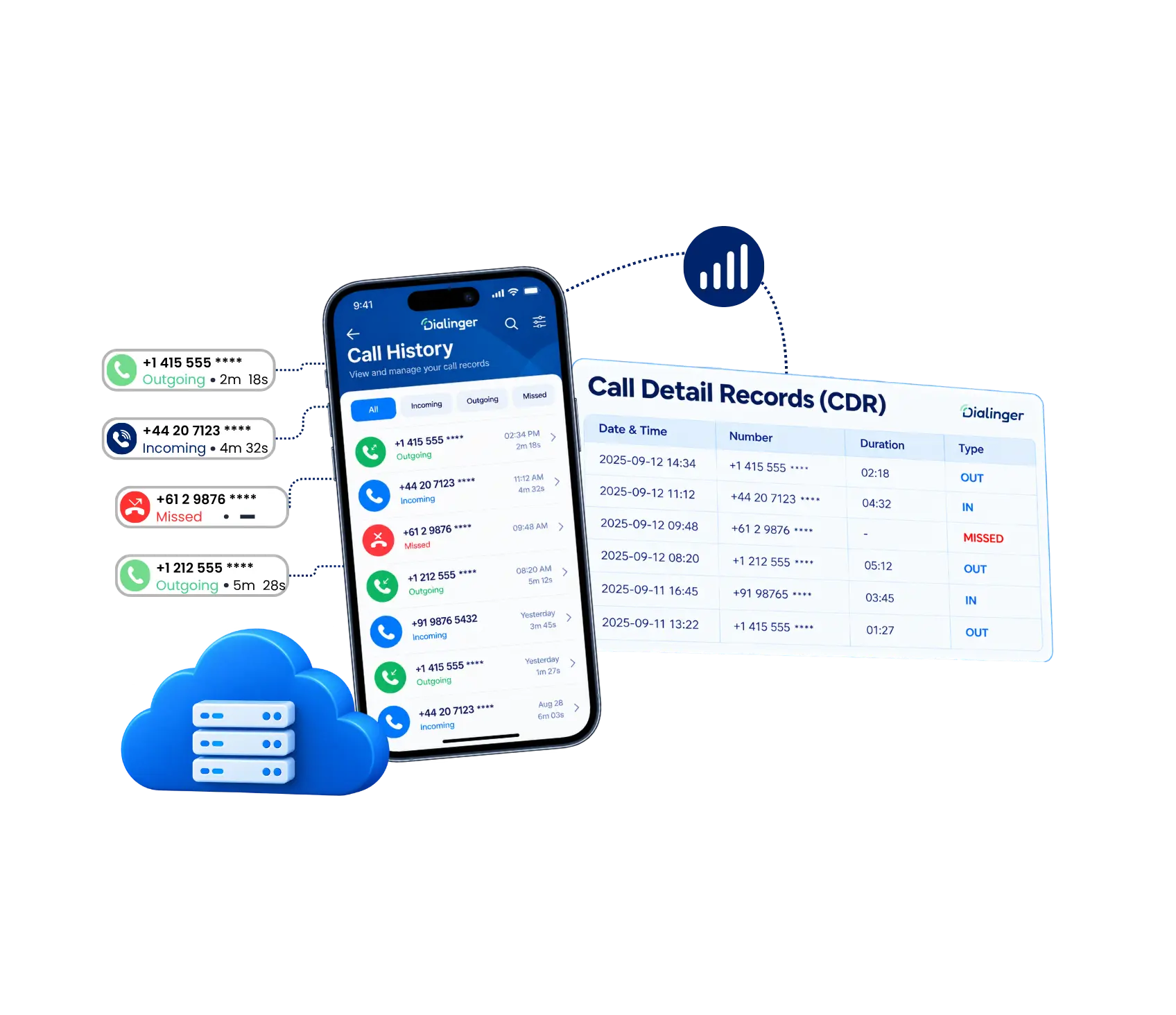
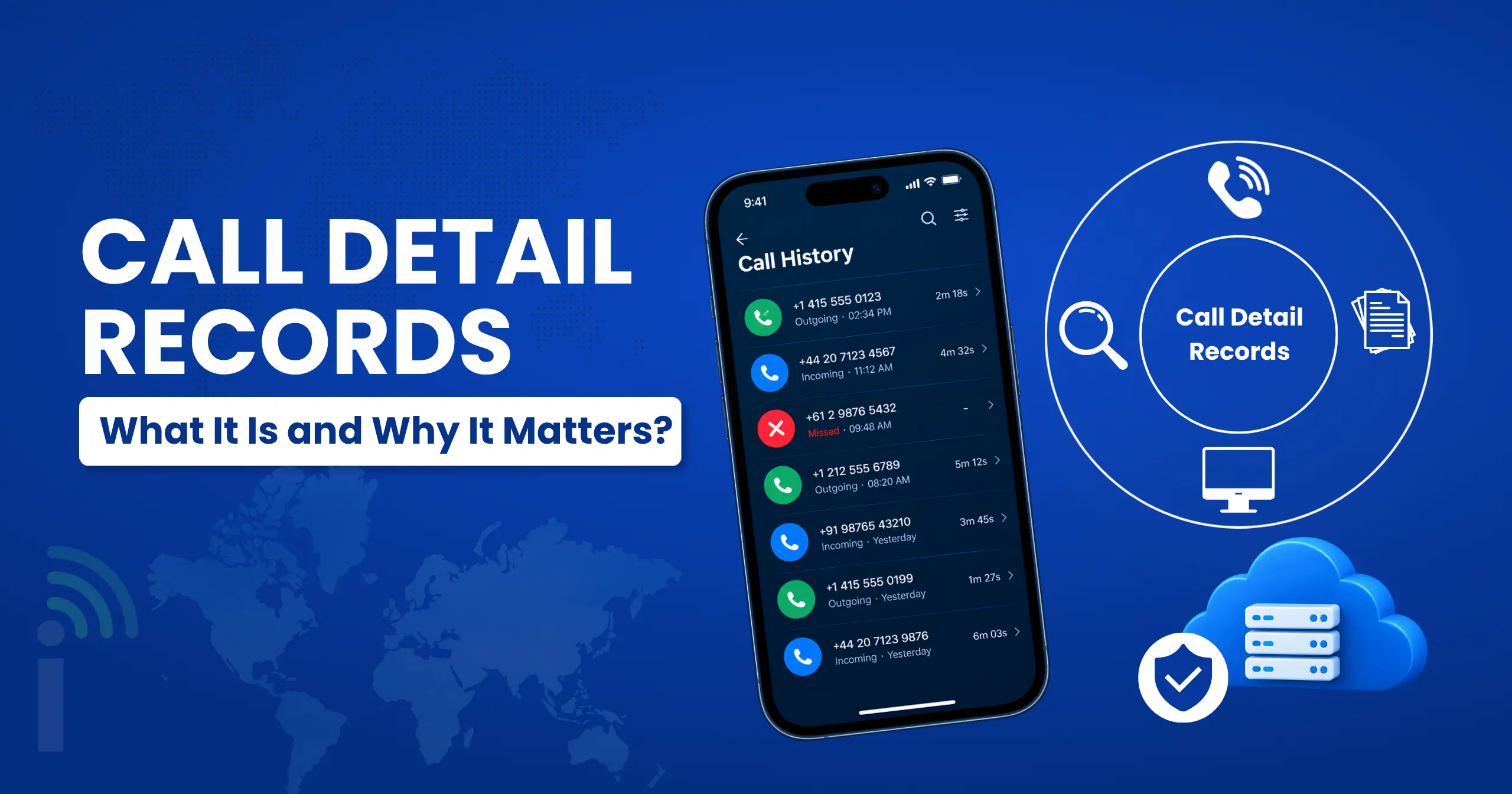
Call detail records, often shortened to CDRs, are structured logs generated automatically every time a call happens through a phone system. Each record captures metadata about that call, not the actual conversation itself, just the surrounding details like who called whom, when it started, and how long it ran.
Think of it as a receipt for a phone call. You don’t get the transcript of what was said, but you get enough surrounding information to know a call happened, who was involved, and roughly what type of call it was. Every modern phone system, whether it’s a traditional carrier network or a cloud-based VoIP platform, generates this data automatically in the background.
What Details Can You Find in Call Detail Records?
A typical set of records will usually include a fairly uniform list of fields, regardless of the provider or system which has generated them:
- Calling and receiving numbers: This shows who called and who picked up basically, both numbers involved in the call.
- Call duration: It shows time the call was in progress, which is typically in seconds or minutes. This is primarily relevant for the billing and record keeping purpose.
- Call type: Indicates whether the call is from outside, sent to another person or was a private call within the office. It’s a good way to see how much your team is talking to customers versus each other.
- Call status: Did the call actually get answered? Or did it ring out, hit a busy tone, fail, get rejected, or go straight to voicemail?
- Call routing information: This is basically the path the call took did it get transferred, sit in a queue, pass through an extension, or go through a menu (IVR) before someone finally answered?
- Device or extension: Shows what the call was made or answered on a desk phone, an extension, a softphone, or someone’s mobile.
- Call cost: If billing is set up, you’ll see what the call cost is, either per minute or the total price.
- Call quality metrics: For VoIP calls, this covers the technical stuff like jitter, latency, or lost packets, useful for figuring out why a call sounded bad.
Put together, this gives a business a genuinely useful picture of call activity, even without ever hearing a single word of what was actually said on any given call.
What Information Do Call Detail Records Leave Out?
This is worth understanding clearly, since assuming the wrong thing about what’s captured can cause real problems. This kind of data never includes the actual audio or transcript of a conversation. It’s purely metadata: the who, when, and how long, not the what was actually discussed.
It also typically doesn’t capture things like customer sentiment, the reason for a call, or any context around why someone dialed a specific number. If a business needs that kind of detail, it usually requires pairing this data with something like call recording or manual notes logged separately by whoever handled the call.
We'd Love to Hear From You
Ready to expand your business globally?
Fill out the form below, and our team will help you choose the perfect number.
Call Detail Records vs. Call History Logs: How Are They Different?
These two terms get used almost interchangeably, and honestly, in a lot of everyday conversation, they basically mean the same thing. But there’s a subtle distinction worth knowing. The raw structured version most commonly refers to data generated by the phone system itself, often for billing, technical analysis or compliance purposes.
By contrast, call history logs tend to describe the more user-friendly version of that same information, the list you actually see inside an app or dashboard displaying recent calls, who they were with, and when they happened.Call history logs are essentially the same underlying data presented in a way a regular person can actually read and use, without needing to dig through raw data fields.
In practice, most businesses interact with call history logs daily, while the raw technical records sit underneath as the actual source data powering that display.
What are the Benefits of maintaining detailed call detail records analysis
Just gathering call detail records isn’t where the real payoff is. The actual value kicks in once you start digging into that data, because that’s what helps a business spot patterns, keep tabs on performance, cut down costs, and make decisions backed by real numbers instead of guesswork.
1. Smarter staffing decisions
Once you can see which lines get hit the hardest and at what times, staffing gets a lot easier to plan around. In high-traffic times, you can add additional hands to the machine or adjust call routing to ensure that no one’s line is overloaded.
2. Spotting fraud early
Weird spikes, such as an unexpected surge in international calls, or activity that is outside normal hours, will appear in this data before anything else will. Checking in on it regularly means you catch shady activity early instead of after it’s already cost you something.
3. Keeping a closer eye on performance
Everything from call volume to busy periods to how calls got routed sits right there in one place. That gives managers a clear read on how agents are actually performing without having to bring in separate tracking software.
4. Staying audit-ready
Keeping solid records builds an organized paper trail of all your call activity. That trail becomes useful the moment you need to prove something during an audit, satisfy a regulation, or settle a dispute over whether a call actually happened.
5. Customizing the routing of calls
By examining routes and trunks to see which ones are performing well, you’ll be able to identify quality issues that may arise at regular intervals before they become more severe. Then you can make tweaks to make for more consistent calls and lower costs.
6. Keeping billing honest
If your telecom bill contains the data you need to track cost and usage with a lot of CDRs, it becomes a lot easier to compare your bill to that data. It also makes it easier to see where money’s going and catch any charges that shouldn’t be there.
How Businesses Use CDRsto Improve Communication
Beyond the basic record-keeping function, businesses actively use CDRs to spot patterns and fix real problems.
Support Team
This data could be used by a team of support to determine that, between certain hours, a specific line will have a higher abandonment rate, thus adjusting the staffing of the line.
Sales Team
CDRs can be beneficial for sales teams if they’re looking to understand who is calling the most, but not necessarily selling the most.
IT Team
This data also can be leveraged for troubleshooting. If a call was not connected, the records can easily be checked to verify if a call was ever placed, and if so, what with the call did.
Finance Team
They use this data to assist in the telecom bill verification process, calling costs allocation and to keep control on communication expenses.
This makes a general gripe something that the business can easily check and respond to and not just by guess.
How to Understand and Read a CDR Report
A raw report can look intimidating at first glance, rows of numbers and timestamps with little context. Breaking it down makes it far more approachable:
1→
Identify the call direction column
So you know whether you’re looking at inbound or outbound activity.
2→
Verify the time stamp fields
To see if you know when each call took place.
3→
Check the duration of the call
To see if there are any calls that appear exceptionally long or short that require attention.
4→
Review the outcome field
To separate answered calls from missed or failed ones.
5→
Cross-reference routing data
If you need to know which agent or department actually handled a specific call.
Once you know what each column actually represents, a report like this stops looking like a wall of numbers and starts looking like a genuinely useful summary of what’s been happening on your phone lines.
Best Ways to Organize and Manage Call Detail Records
Good CDR management starts with consistency, storing records in a predictable format and location rather than letting them scatter across different exports and spreadsheets. Some practices keep this manageable in the long run:
- Establish a retention policy, make a determination on how long records are really required to be retained for business or legal purposes.
- Store records centrally, so that all records from all lines or departments are stored in one accessible place.
- Automate exports as much as you can, don’t assume someone will remember to pull a report.
- Restrict access appropriately, since this kind of data can contain sensitive information about who a business communicates with.
Treating this as an ongoing habit rather than an occasional cleanup task tends to save a lot of headaches whenever the data actually needs to be pulled up and used.
Common Challenges Businesses Face With CDR Management
Even businesses that understand the value of this data run into a few recurring problems with CDR management.
Data volume
It becomes overwhelming fast once call activity scales up, making manual review essentially impossible without proper tools.
Inconsistent formats
Across different systems or providers can make comparing historical data a real headache if a business has switched platforms at any point.
Limited context
It is another common frustration, since these records show what happened but never why, leaving some questions unanswerable without pairing this data with other tools like call recording.
None of these challenges are usually dealbreakers when it comes to CDR management; they just require the right systems in place from the start, rather than trying to patch things together after records have already piled into a mess.
Why Dialinger Fits Into This
If you’re looking for cleaner visibility into your call activity, Dialinger’s call history feature turns raw call detail records into something your team can actually read and act on, without digging through spreadsheets. Paired with call analytics, businesses get a clearer picture of call volume, missed calls, and performance trends over time, all built directly on top of the underlying data these records capture.
Understanding your own call activity shouldn’t require a technical background. It just takes the right tool to turn raw data into something genuinely useful for the people actually running the business day to day.
Frequently Asked Questions (FAQs)
What exactly is a call detail record?
It’s basically a log that gets created automatically every time a call happens on your phone system. It captures details like the numbers involved, the time, and the length of the call, but not the actual conversation.
What information usually shows up in a CDR?
You’ll typically see the calling and receiving numbers, the date and time, how long the call lasted, and whether it was inbound, outbound, or internal. Most systems also log the outcome, like whether the call was answered or missed.
Are call detail records and call history the same thing?
They're closely related but not quite identical. CDRs are the raw technical data generated by the system, while call history is just that same data shown in a simpler, easier-to-read format inside an app or dashboard.
What issues tend to come up when handling CDR data?
The biggest one is just volume, since things get hard to track manually once call activity picks up. Mismatched formats between different systems and a lack of context around each call are common headaches too.



