What is Call Forwarding Service, and Why Do Calls Get Forwarded?
There’s actually a simple, useful feature for the moment, and it’s called a call forwarding service as every phone user has run into this at some point. You call someone, and instead of ringing through normally, you hear a quick message saying the call has been forwarded, followed by a different tone or a longer wait before someone picks up. Most people just assume something’s wrong with the line and move on.
This isn’t some rare technical setup only big companies use. It’s built into most phones and virtual number apps today. Once you know how to forward calls, you start noticing how often this feature is working quietly in the background of everyday calls, whether it’s a business routing customer calls or a friend who switched numbers last month.
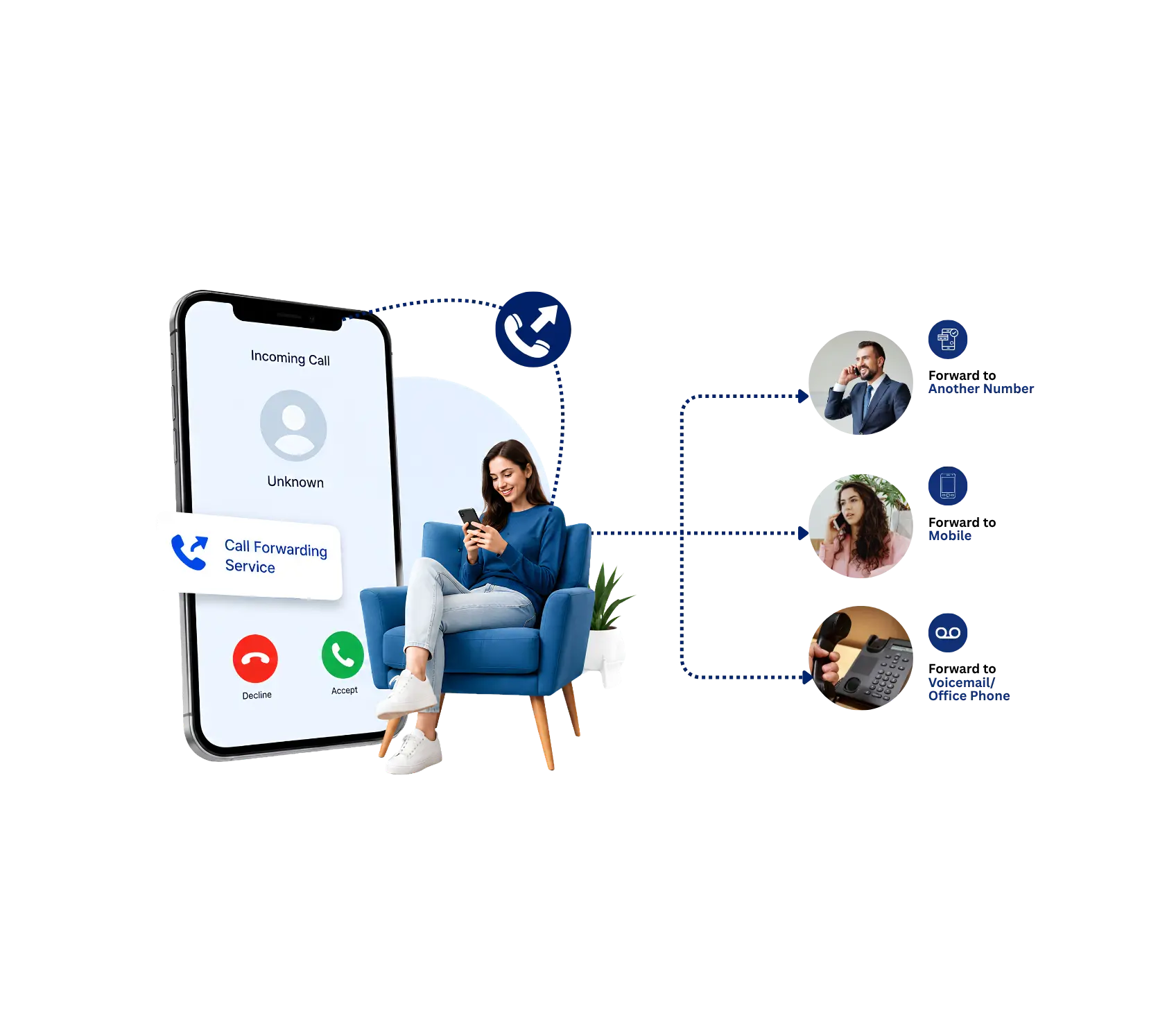
What is Call Forwarding Service?
At its core, a call forwarding service takes an incoming call to one number and redirects it to another number automatically. Nobody has to answer the original line first.The call is just forwarded because you’ve already configured the forwarding rules; you could forward all calls to another phone, send calls to Voicemail after hours, or forward to another teammate when you’re not around, etc.
Think about a small business owner who’s often away from the office. Without a call forwarding service, every missed call at the office line just sits there until someone checks voicemail hours later. With it, that same call follows the owner to their cell phone the moment it comes in, so nothing waits around unanswered. It’s a small piece of technology, but it solves a problem almost every phone user runs into eventually.
What Does Your Call Has Been Forwarded Mean?
This is the part that confuses a lot of people the first time they hear it.If you hear a recorded message that your call has been forwarded, it’s simply that the number you are calling is no longer answering directly at that device. The call forwarding service that was set up on that number has been rerouted to somewhere else, and you are now being bounced to wherever you are forwarding to.
It does not necessarily mean that something is wrong with your call; it does not mean that the person changed their phone number completely. It is typically an indication that call forwarding is on that line, meaning the individual is traveling, working at a different place, or simply wants all calls to go to one device rather than different phones.
How to Forward Calls
Many people think forwarding calls needs some kind of technical arrangement, but it’s quite simple and is just a few taps. For most systems, here’s how to forward calls:
- Open your phone or virtual number app settings and then open the call settings.
- Search for a selection with “call forwarding” or “forward calls”.
- Select when forwarding is active: Always, When busy, When unanswered, When your phone is off.
- Type in the number to which calls will be directed.
- Save the setting, and incoming calls will start rerouting immediately.
That’s really the whole process. Learning how to forward calls takes a few minutes at most, and most providers let you switch it on or off just as easily whenever your situation changes. For businesses using one, the setup is usually a bit more advanced, letting you forward calls by department, time of day, or which employee is currently available.
Is It True That a Forwarded Call Means You're Being Ignored?
Not even close, though it’s an understandable assumption. People often think a forwarded call means the other person doesn’t want to talk to them, but in reality, forwarding calls is usually set up for the exact opposite reason. It exists so calls don’t get missed, not so they can be dodged.
A doctor’s office forwards calls after hours so patients can still reach an on-call provider. A freelancer forwards their business line to their cell so a client call never goes unanswered while they’re out. This kind of setup is a tool for staying reachable, not a way to screen people out. If anything, businesses that skip it are the ones more likely to miss calls entirely, since nothing catches what the front line doesn’t answer.
Types of Call Forwarding
Not every forwarding setup works the same way, and knowing the difference helps when you’re setting it up:
Conditional Call Forwarding:Conditional call forwarding is a service that forwards incoming calls under certain conditions. For instance, if someone’s line is busy or they fail to answer within a specific period, or if the phone cannot be reached, calls can be forwarded. It’s useful when you want to be able to answer most calls but let someone else, a team member or backup number, know that you’re not available or did not answer.
Unconditional Call Forwarding:Unconditional call forwarding will automatically forward all incoming calls to another phone number without giving the original phone number the opportunity to ring first. It is helpful if you are not there, away, or you wish to have someone or a team handle all calls. When activated, every incoming call is routed to the designated number, so it’s an easy choice for 100% rerouting your business or home phone line.
Call Routing a Step Beyond Basic Forwarding
Forwarding and routing get mixed up a lot, but they’re not quite the same thing. Forwarding redirects a call from one fixed point to another.Call routing is more general: it determines where a call needs to go, in many cases based on a rule, such as where the caller is calling from, which department they need, which agent is available then, etc.
A busy help desk, for instance, uses call routing to route billing enquiries to billing staff and technical issues to tech support, without requiring a person to do the routing for each call. It is often used in addition to a call forwarding service, as the forwarding service determines what to do when a line isn’t available, while the routing service determines which line to route the call to in the first place.
Why Virtual Phone Number Pairs So Well With Forwarding
A virtual phone number is a number that isn’t tied to a single physical SIM card or handset, and it’s usually the easiest way to get real forwarding control without touching your carrier settings at all. Since it runs through an app, forwarding rules can be changed instantly from your phone, without calling customer support or waiting on a technician.
This pairing matters most for people managing more than one number. A freelancer with a virtual phone number for client calls can forward it to their personal line during work hours and switch it off entirely on weekends. A growing business can add a new one for a specific department and set up its own forwarding rules without touching any existing lines. It’s flexible in a way that traditional landlines never really were.
Why It's Worth Setting Up Properly
A lot of people set this up once, in a rush, and never touch it again. That’s usually where things go wrong. A rule that made sense during a busy season might not make sense six months later, and forgotten settings have a way of quietly sending calls somewhere nobody’s checking anymore.
It’s worth revisiting your setup every so often, especially after a team change, a new work schedule, or a shift in how customers usually reach you. A few minutes of adjusting rules can be the difference between a client reaching you instantly and a client giving up after the third unanswered ring. Small, boring maintenance like this rarely gets attention, but it’s often what separates a business that feels reliable from one that quietly loses people without ever knowing why.
Why Dialinger Is a Smart Fit for This?
For those who wish to have a proper call forwarding service rather than putting it together, Dialinger’s call forwarding feature is designed to manage it without any trouble. Rules for unconditional, busy, or no-answer forwarding can be set directly from the app at any time.
Dialinger also offers a virtual phone number that works alongside its forwarding tools, so you get a dedicated line plus full control over where its calls end up. For teams handling more complex call flows, Dialinger’s phone IVR feature adds smart call routing on top, directing callers to the right department automatically before forwarding ever kicks in. If you’d like to see it running before committing to anything, you can book a demo and walk through the setup with the team directly.
Getting calls to the right place, at the right time, without anyone sitting by a phone waiting, is really what all of this comes down to. A little setup now saves a lot of missed conversations later.
Frequently Asked Questions (FAQs)
Do I need to pay extra for a call forwarding service?
Not usually. Most providers just bundle it right into the plan you already have.
Can Dialinger handle call routing along with forwarding?
Yes, its phone IVR feature routes calls first, then forwarding takes over if needed.
Will a call forwarding service still work if my phone is off?
Yes, as long as unreachable forwarding is turned on, the call still finds its way through.
If I switch to a new virtual phone number, do my old forwarding settings carry over?
No, you’ll need to set forwarding rules fresh on the new number, but it only takes a minute.



