UCaaS: What It Is and Why Businesses Are Making the Switch
If you’ve spent any time researching modern business phone systems, you’ve probably run into the term UCaaS more than once. It gets thrown around a lot, sometimes without much explanation, which leaves a lot of business owners nodding along without really knowing what it means or whether their company actually needs it.
The short version is that this shift has become one of the biggest changes in how businesses communicate, quietly replacing the tangle of separate phone systems, chat apps, and video tools that most companies used to juggle. Understanding what it actually does, and how it fits into daily operations, makes it a lot easier to decide whether it’s worth adopting.

What Is Unified Communications as a Service (UCaaS)?
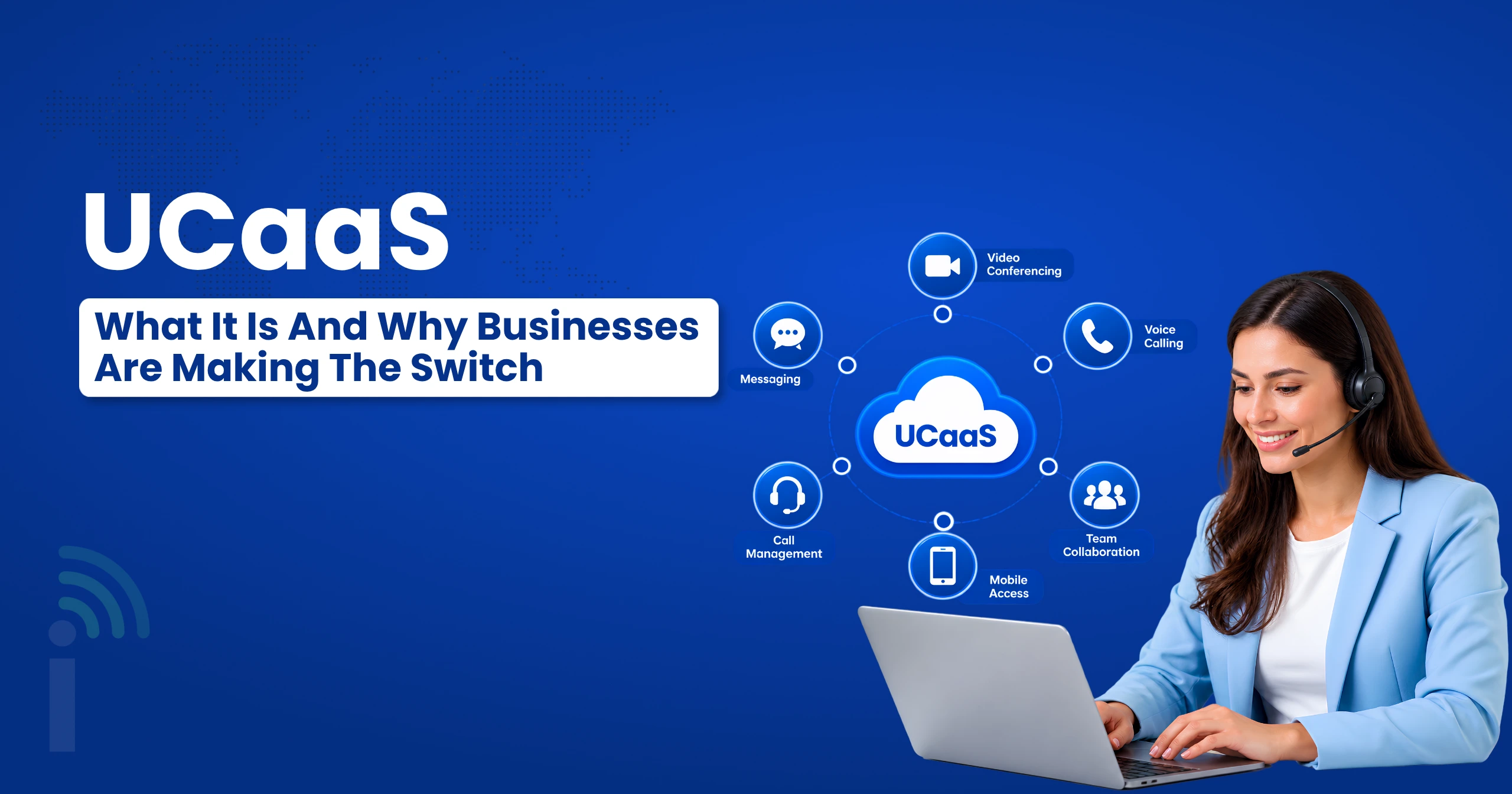
UCaaS stands for Unified Communications as a Service, and at its core, it just means combining all your business communication tools: calling, messaging, video meetings, and file sharing, into one cloud-based platform instead of running each one separately.
Before this kind of setup existed, a typical business might use a desk phone system from one provider, a separate video conferencing tool, a messaging app, and maybe a fax line still hanging around somewhere. None of these talked to each other. This model fixes that by putting everything under one roof, accessible from a laptop, a phone, or a browser, with a single login instead of five different ones.
This matters more than it sounds on paper. When calling, messaging, and meetings all live in the same system, employees stop losing time switching between apps just to have a normal workday. Small teams and large companies alike end up saving hours every week just by not having to hunt down which tool a conversation started in.
How Does Unified Communication as a Service Operate?
The mechanics behind it are simpler than people expect. Since everything runs through the cloud rather than physical hardware sitting in an office, this kind of platform handles calls, messages, and video sessions as data traveling over the internet, much like how streaming a video works, just applied to business communication instead.
When someone calls your business number, that call routes through the provider’s cloud infrastructure and lands wherever you’ve set it up to go: a desk phone, a laptop app, or someone’s mobile device. The same logic applies to a chat message or a video meeting invite. Nothing depends on a specific physical location or piece of hardware, which is exactly why this approach works so well for teams spread across different offices, cities, or even countries.
Most platforms also include some form of presence status, so teammates can see who’s available before reaching out, and everything gets logged automatically: calls, messages, meeting recordings, so nothing gets lost between one tool and the next. A new employee can be fully set up on day one, with access to every channel the team uses, instead of waiting on separate accounts to be created across five different systems.
Importance of UCaaSin Business Functionalities
This model doesn’t just make communication more convenient; it actually reshapes a lot of core business functionalities in ways that ripple across an entire company. When calls, messages, and video all live on one platform, teams stop losing information in the cracks between disparate tools.This is where the effect on day-to-day business functions becomes most visible:
- Customer support: Agents have call history, chat logs, and previous interactions all in one place instead of digging through three different systems.
- Sales outreach: Teams collaborate to monitor calls and messages without losing context each time a lead changes from one channel to another.
- HR and onboarding: New hires get onboarding calls and shared documents in the same platform they’ll use every day after.
- Operations: Teams get a single source of truth for who said what, and when, instead of piecing it together after the fact.
- Daily status updates: A quick update stops requiring five different check-ins across five different tools.
Whatever department you look at, most core business functionalities end up touching this platform in some way, which is exactly why it becomes the connective tissue holding daily operations together rather than just another app layered on top of everything else.
Cloud Telephony The Voice Foundation of UCaaS
Underneath all the messaging and video features, cloud telephony is really what makes the whole system work as a phone system in the first place. Cloud telephony is about the actual voice call, using the internet to route calls instead of using a physical PBX box in a back office or copper lines. Without cloud telephony, the platform is just a messaging and video tool and lacks a real calling backbone. It’s the part that lets a business keep a professional phone number, route calls intelligently between departments, and scale up without needing new hardware every time the team grows.
This voice layer also brings flexibility that older phone systems never had. Since calls aren’t tied to a physical line, a business can add new users, forward calls to mobile devices, or even switch office locations entirely without touching a single wire. For most companies adopting this model, the calling piece is the part that delivers the most immediate, tangible benefit, since phone calls are still how a huge amount of business actually gets done. Even as messaging and video have grown more popular, a working phone line remains the thing customers reach for first when something urgent comes up.
We'd Love to Hear From You
Ready to expand your business globally?
Fill out the form below, and our team will help you choose the perfect number.
What to consider when picking the best providers?
When deciding which UCaaS providers to consider, it’s not about the features alone; it’s about some simple considerations.
Reliability Matters
Check for reliable uptime guarantees, as the platform's reliability is crucial to your communication infrastructure. Those few hours can result in missed calls, missed sales, and a team that is in panic mode trying to come up with a solution.
Integration Options
A good platform will integrate with existing platforms that your team may use, such as a CRM or project management software, rather than forcing the team to break its existing workflows.
Support Quality
When something breaks, whether it's a dropped call or a syncing issue, how fast and how well a provider responds says a lot about what working with them long-term will actually feel like.
Pricing structure
Watch for hidden per-user fees or long-term contracts that lock you in before you've had a real chance to test the platform properly with your own team.
Taking the time to evaluate these factors properly, rather than picking based on price alone, usually determines whether a rollout goes smoothly or turns into a frustrating mess six months down the line.
Dialinger For a Better Service
Pros and Cons of Unified Communication
Like any technology shift, this approach comes with real advantages alongside a few tradeoffs worth knowing about upfront.
The advantages tend to be significant:
- Lower costs: One platform replaces several separate subscriptions running side by side.
- Improved collaboration: All users share within one system, rather than navigating between disjointed applications.
- Easy scaling: When you add a new employee, it is likely that you will only add a new user account, not purchase new hardware.
- Built-in remote support: No longer tied to a single office, which can mean hybrid teams make sense.
- More visibility: Managers have a comprehensive overview of what goes on in the team, because all activity has been recorded in a single place.
The disadvantages also are not lost on the listener:
- Internet dependency: A weak internet connection can cause a problem with calls or meetings that a phone line won’t.
- A learning curve: Staff used to old, disconnected tools need some time to adjust to one unified system.
- Migration risk: Since everything lives in one place, picking the wrong provider means migrating everything all over again later.
Weighing these honestly before committing to a provider usually saves a lot of frustration later, and it’s a far cheaper conversation to have before signing a contract than after.
Learn the Difference Between CCaaS, VoIP, and PBX
These terms get confused constantly, so it helps to lay out exactly where this fits compared to the others.
- CCaaS, or Contact Center as a Service, focuses specifically on customer-facing support operations, things like call queues, ticketing, and agent performance tracking. UCaaS is broader, covering internal and external communication across an entire company, not just a support team. A business might use both together, CCaaS for its dedicated support desk and the broader platform for everything else the company does.
- VoIP is really just the underlying technology that makes internet-based calling possible in the first place. This kind of platform uses VoIP as one piece of its overall setup, but VoIP alone doesn’t include messaging, video, or the other collaboration tools that come bundled with a full rollout.
- PBX, or Private Branch Exchange, refers to the traditional hardware-based phone system that used to sit in a company’s office, physically routing calls between extensions. This model essentially replaces that entirely with a cloud-based alternative that doesn’t require any physical equipment at all, and it does so while adding messaging and video on top of what a PBX box ever offered.
Understanding these distinctions helps avoid confusion when comparing providers, since some companies market individual pieces of this puzzle as if they’re the whole picture, when really they’re only solving one part of a much bigger communication problem.
Why Dialinger Is Worth Considering?
If you’re ready to compare real options, Dialinger’s phone system brings calling, messaging, and routing together in one platform, built to run entirely from the cloud so your team isn’t tied to any office or hardware. For businesses that want the flexibility of a cloud-based setup without the usual PBX headaches, Dialinger’s cloud PBX solution covers that ground directly.
It also connects with the tools teams already use, including CRM integration so calls and messages log automatically against the right contact, and a dedicated messaging service so texting doesn’t need a separate app. If you’d like to see how it fits your team’s setup, you can book a demo and walk through it directly.
At the end of the day, UCaaS isn’t just a trend businesses are following because everyone else is doing it. It solves a real, practical problem: too many disconnected tools trying to do one job. Once a team experiences working from a single unified platform, going back to five separate logins rarely feels worth it.
Frequently Asked Questions (FAQs)
What does UCaaS actually stand for?
Unified Communications as a Service. Basically calling, messaging, and video all living in one platform instead of five.
Is UCaaS the same thing as VoIP?
Not quite. VoIP is just the calling part. UCaaS is the whole package, calling plus messaging plus video.
Do I need good internet for this to work well?
Yeah, pretty much everything runs through the internet, so a shaky connection can mess with calls or meetings.
Can a small business actually use UCaaS, or is it just for big companies?
Small teams use it too, honestly it’s often easier for them since there’s no hardware to deal with at all.



