VoIP Texting: What It Is, How it works with Its Benefits
Most people think of VoIP as just a way to make calls over the internet, but there’s another side to it that doesn’t get talked about nearly enough. VoIP texting lets businesses send and receive text messages through the same system they already use for calls, without needing a separate phone number or a personal cell plan tied to it. If your team is still texting customers from personal phones instead of using proper business text messaging tools, this is worth understanding properly, especially since it quietly creates real problems down the line, lost conversations, no record of what was actually promised to a customer, and a mess to untangle whenever someone leaves the company.
This solution walks through what it actually is, how it works, what you can actually do with it, and how it stacks up against regular SMS, so you can decide whether it’s worth switching your team over to.
What Is VoIP Texting?
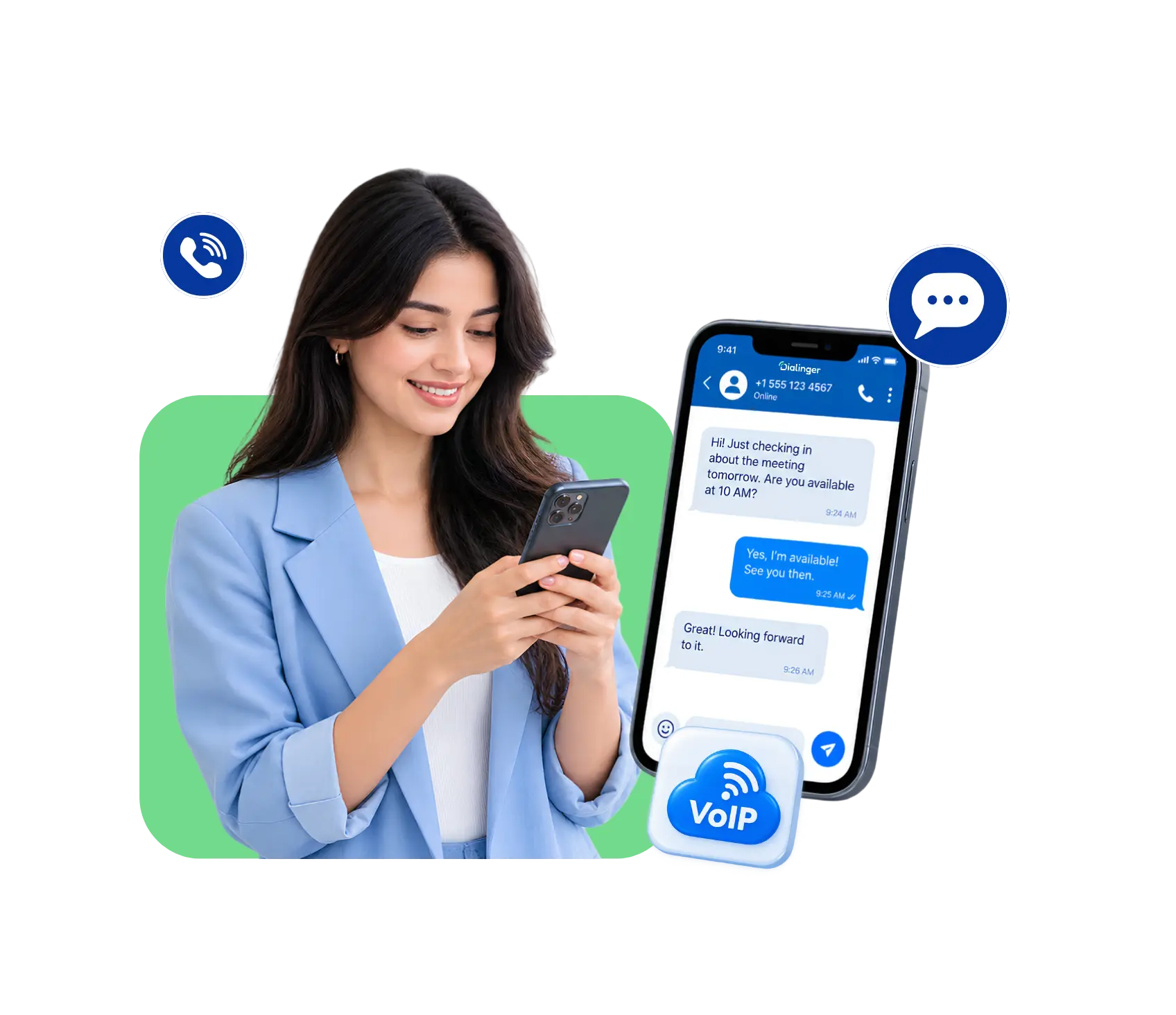
It’s simply the ability to send and receive text messages using a VoIP phone number instead of a traditional mobile line. Since VoIP numbers already handle voice calls over the internet, most providers extend that same number to handle text messages too, so one number covers both calls and texts.
This means a business can text customers from the same number that shows up on caller ID, instead of some random personal cell number nobody recognizes. It also means the whole team can share access to that number’s messages, rather than texts disappearing into someone’s personal phone where nobody else can see them. In short, it’s a text messaging service built directly into your VoIP phone system, rather than a separate app sitting on top of it.
How Does VoIP Texting Work?
The mechanics behind it are simpler than people usually expect:
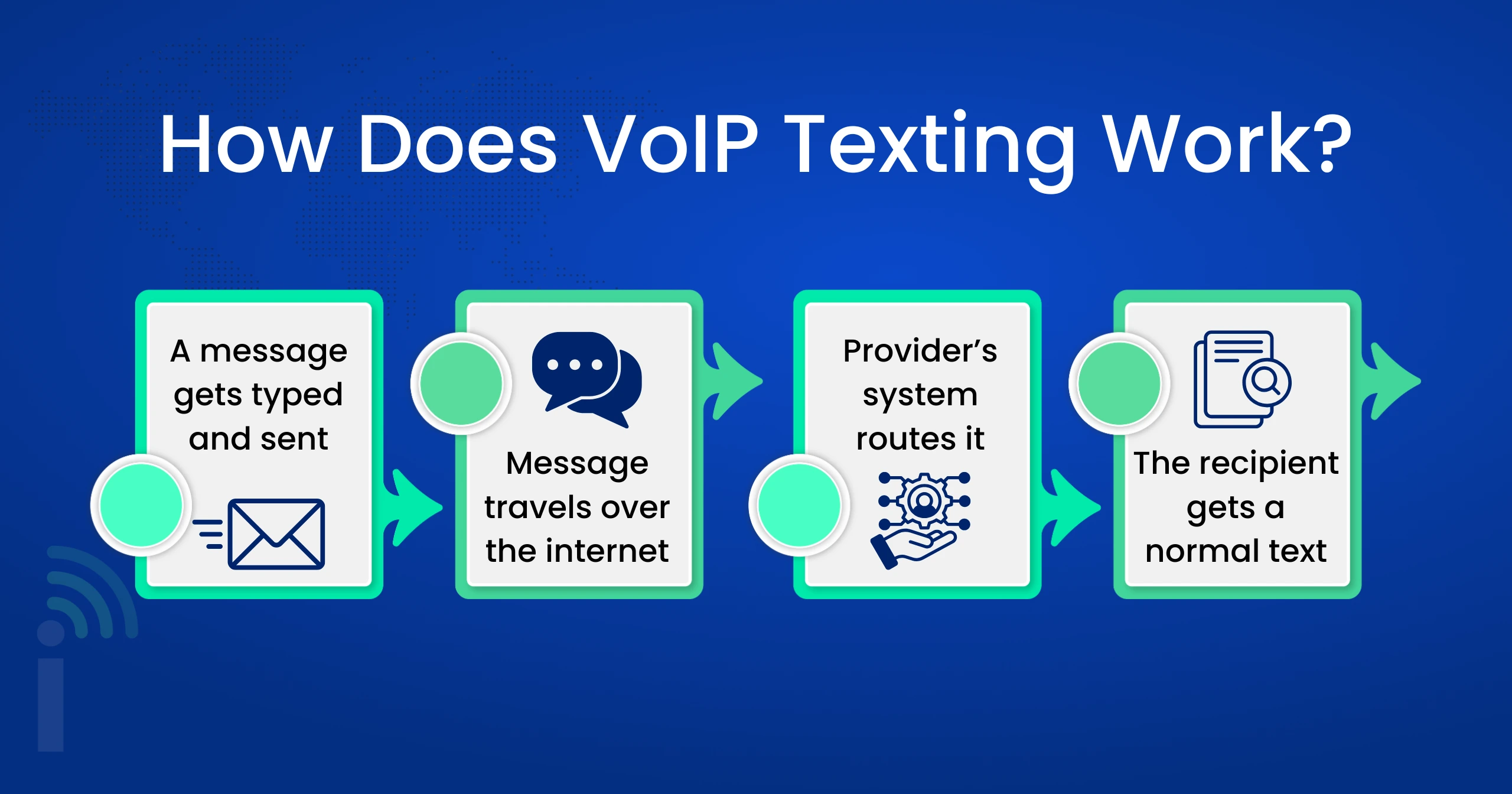
- A message gets typed and sent from a desktop app, a browser dashboard, or a mobile app connected to the business number.
- The message travels over the internet,instead of through a traditional cellular network, using the same connection that handles VoIP calls.
- The provider’s system routes it, converting the message into a format that can reach a regular mobile number on the other end, regardless of what carrier they’re on. This is essentially how VoIP SMS reaches its destination behind the scenes.
- The recipient gets a normal text, it shows up on their phone looking exactly like any other SMS, even though it started out as an internet-based message on the sending end.
Nothing about the process requires the person receiving the message to have any special app or setup. It just looks like a regular text to them. The entire back-and-forth, the conversion, the routing, the delivery, usually happens in under a second, so from a customer’s point of view, there’s no visible difference at all.
Benefits of VoIP Texting
- Lower Costs Compared to Traditional Plans: Most business text messaging plans bundle messaging in with the same subscription covering calls, so there’s no separate SMS plan or per-message charge piling up the way it might with a traditional carrier.
- One Number for Everything: Customers need only one number to remember for calls and texting, which is easier and simpler than using separate numbers for calls versus texting.
- Team-Wide Access to Conversations: Because messages are stored on a shared platform, not on an individual’s phone, anyone on the team can jump into a conversation without losing context or waiting for one employee to respond.
- Works From Anywhere: Because it’s a cloud-based texting setup, anyone can send/receive messages from a laptop, tablet or phone, which is a natural fit for remote and hybrid teams.
Limitations of VoIP Texting
- Depends on a Stable Internet Connection: If the internet goes down, messaging goes down with it, unlike traditional SMS which runs over the cellular network and doesn’t care about your WiFi.
- Occasional Carrier Restrictions: Some mobile carriers apply extra filtering or delays to messages coming from internet-based numbers, which can occasionally cause delivery hiccups that a personal cell number wouldn’t run into.
- Not Every Provider Supports It Equally Well: Not every text messaging service treats this as a properly built-out feature, some providers handle it as an afterthought rather than something genuinely reliable.
- Learning Curve for Some Teams: Even for some of the smaller teams, this transition from personal phones or using a messaging application they’re already familiar with, to a shared business platform, takes some time to get used to.
What Can You Do With VoIP Texting?
- Send Appointment Reminders: Automated texting for Appointment Reminders decreases no-shows by notifying and reminding clients of upcoming appointments.
- Customer Support via Text: Some customers prefer to use text messages for customer support, especially for short questions that don’t require a long phone call.
- Send Order & Delivery Updates: Let customers know their order shipped or their delivery is nearby without tying up a support line.
- Have conversations both ways with leads: Sales teams can text prospects directly to answer quick questions or move a conversation along that might stall out over email.
- Send Documents and Links: A fast link to a form, invoice, or resource is often faster to send via text than digging through an email thread.
We'd Love to Hear From You
Ready to expand your business globally?
Fill out the form below, and our team will help you choose the perfect number.
Difference Between VoIP Texting and Traditional SMS
| Aspect | VoIP Texting | Traditional SMS |
|---|---|---|
| Number used | Business VoIP number | Personal or carrier-assigned mobile number |
| Access | Shared across a team | Limited to one device or person |
| Cost structure | Usually bundled with a subscription | Often billed per message or per plan |
| Dependency | Requires internet connection | Runs on the cellular network |
| Scalability | Easy to add users or numbers | Requires new SIM cards or lines |
| Business tool integration | Often built in | Rarely available |
Looking at it side by side like this usually makes the decision a lot clearer for any business trying to figure out which direction actually fits their setup. Neither one is universally better, it just comes down to whether your team needs shared access, integrations, and predictable costs, or whether a simple personal line is genuinely enough for how small the operation currently is.
Advantages of VoIP Texting Over Traditional SMS
Cost-effective
Bundled messaging plans are usually more cost-effective than paying by the message or having separate mobile lines for texting purposes.
Centralized Team Access:
A shared and a common platform helps to enables the whole team to see and respond to conversations, so messages aren’t stuck on one person’s personal phone.
Easier to scale
It's normally just a few clicks to add more users or numbers as your business grows, no new SIM cards or mobile contracts needed.
Better Integration With Business Tools
VoIP SMS integrates directly with CRMs and helpdesk software so conversations appear next to customer records automatically, instead of living somewhere separate.
Consistent Business Identity
Customers get the same business number every time (not a personal cell number that changes if an employee leaves the company).
Built-In Automation Options
Auto-replies, scheduled messages, and templated responses are usually far easier to set up on a cloud-based texting platform than on a personal phone.
Why It Matters for a Modern Business >b>Text Messaging Strategy
Businesses that treat this as an afterthought usually end up with messages scattered across personal phones, no record of past conversations, and no easy way to bring a new team member up to speed. Building it properly into how a business communicates solves that by keeping everything centralized, searchable, and accessible to whoever actually needs it.
It also fits naturally alongside a broader VoIP SMS setup where calls and texts share the same number and the same platform, rather than juggling separate tools for each. For a growing business, that kind of consistency saves a lot of quiet frustration down the road, especially once more than a couple of people are handling customer conversations.
Choosing a Cloud-Based Texting Setup That Actually Works
Not every provider handles this well, so it’s worth checking a few things before committing to a cloud-based texting setup for your team. Look at message delivery reliability, whether the platform integrates with tools you already use, and whether pricing stays predictable as your team grows. A text messaging service that looks cheap upfront but charges extra for every integration or additional user can end up costing more than expected once the whole team is actually using it. It’s also worth asking how quickly support actually responds when a message fails to deliver, since that’s usually the moment you find out how good a provider really is.
Why Dialinger Is Worth Considering
Dialinger brings texting into the same platform as calls, so your team isn’t juggling a separate app just to send a message. With built-in VoIP SMS on a shared business number, team-wide access to conversations, and straightforward setup, it’s built for businesses that want messaging and calling to actually work together instead of living in separate systems.
Dialinger simplifies business texting by combining it with calling in one place, so nothing is lost between two different tools. If you’re searching for a provider that has a text messaging service that integrates well with the rest of your business communications, then Dialinger might be a good option to consider. You can test a demo and see how it works in your setup before you commit to anything.
Frequently Asked Questions (FAQs)
What is VoIP texting?
Think of it this way, VoIP texting is just texting through your VoIP number instead of your personal phone. Since that number’s already handling your calls over the internet, most providers let it handle texts too. It’s really just business text messaging built right into the phone system you already have.
Does the person I'm texting need to download anything special?
Not at all. On their end, it just looks like any other text message landing in their regular inbox. All the technical stuff behind VoIP SMS, converting the message and routing it properly, happens so fast in the background that nobody even notices it’s different.
What happens if my internet goes out?
Honestly, your texting goes down too. That's the one real downside of any cloud-based texting setup compared to old-school SMS, which rides on the cell network and couldn't care less whether your WiFi is acting up.
What do businesses actually use this for day to day?
Quite a bit, really. Appointment reminders, order updates, quick support questions, following up with a sales lead who’s gone quiet, sending over a link or invoice, even a short feedback text after someone’s had a service done. That’s the whole point of a solid business text messaging setup.



