Power Dialer Software for Automated Call Sequencing
Ever watch someone manually dial a number, wait for it to connect, then dial the next one by hand? It looks harmless in the moment, but add it up over a full day, and you’re looking at close to an hour of pure dead time. That’s the exact problem a power dialer was built to fix. The second one call ends, it’s already moving to the next number, so the person on the line spends their energy actually talking to people instead of babysitting a phone.
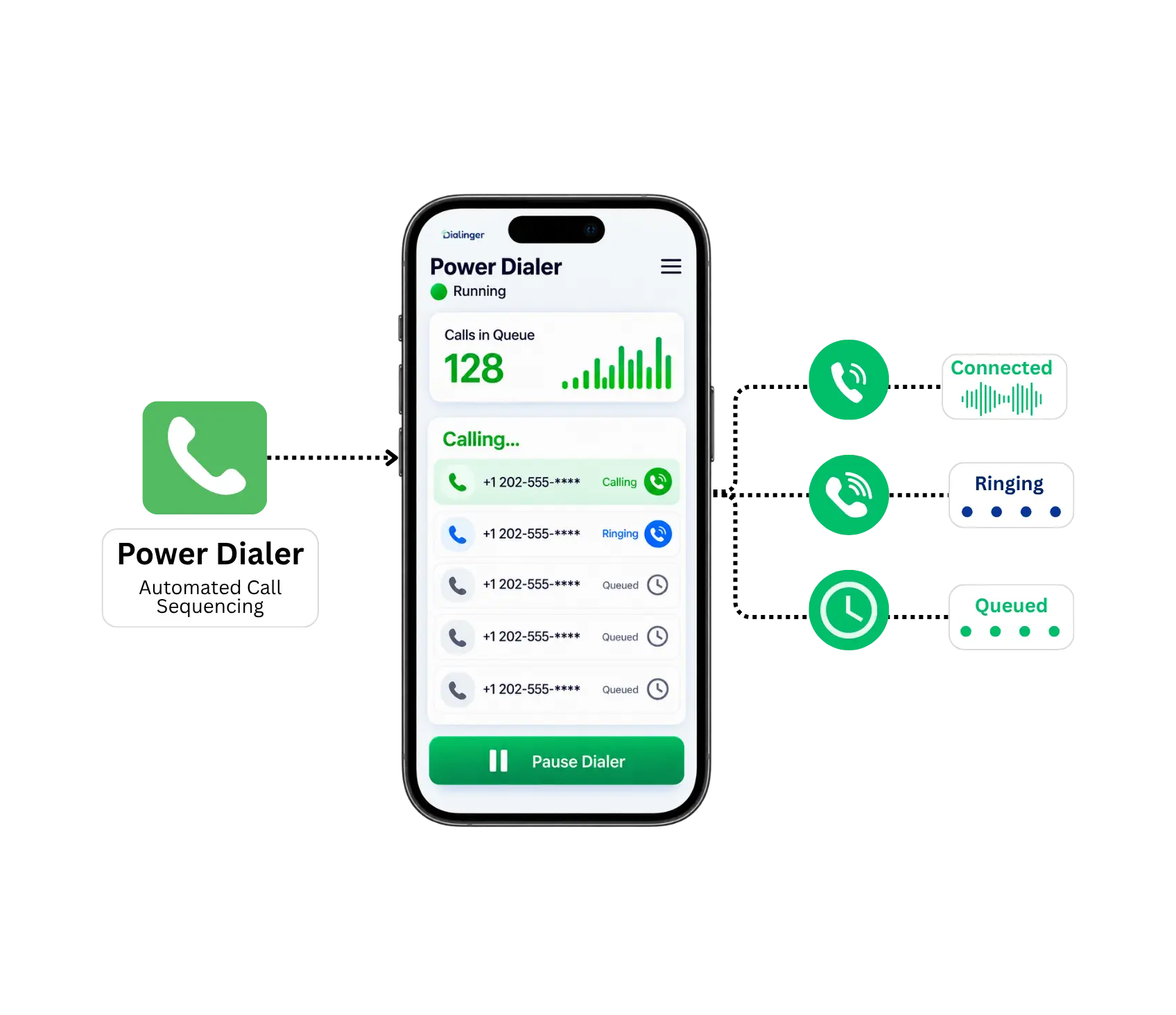
What Is a Power Dialer?
So what is a power dialer, exactly? It’s a tool that dials through a list of numbers automatically, one after another, without a rep manually punching in each digit. The moment one call wraps up, whether it connected or went to voicemail, the system moves straight to the next number.
If you’re wondering what makes it different from a regular phone, the answer comes down to eliminating dead time. A rep making eighty calls a day manually might spend close to an hour just dialing and waiting. Good power dialer software cuts that down to almost nothing, so the same rep spends that hour actually having conversations instead.
How It Closes More Deals?
Understanding how a power dialer closes more deals starts with a simple fact: more calls made means more conversations had, and more conversations mean more chances to close. Here’s where that actually shows up:
More calls, more conversations
Reps using this kind of tool typically get through two to three times as many calls in the same shift compared to manual dialing.
No lost leads
Standard dialing steps mean contacts never get skipped or lost in a spreadsheet.
Less burnout and more calls
Eliminating the wait time between calls gives salespeople the energy to actually get through their full list, instead of running out of steam before reaching the end.
A consistent process
If every rep takes the same automated steps for each contact on their list, management can better judge each rep’s actual performance.
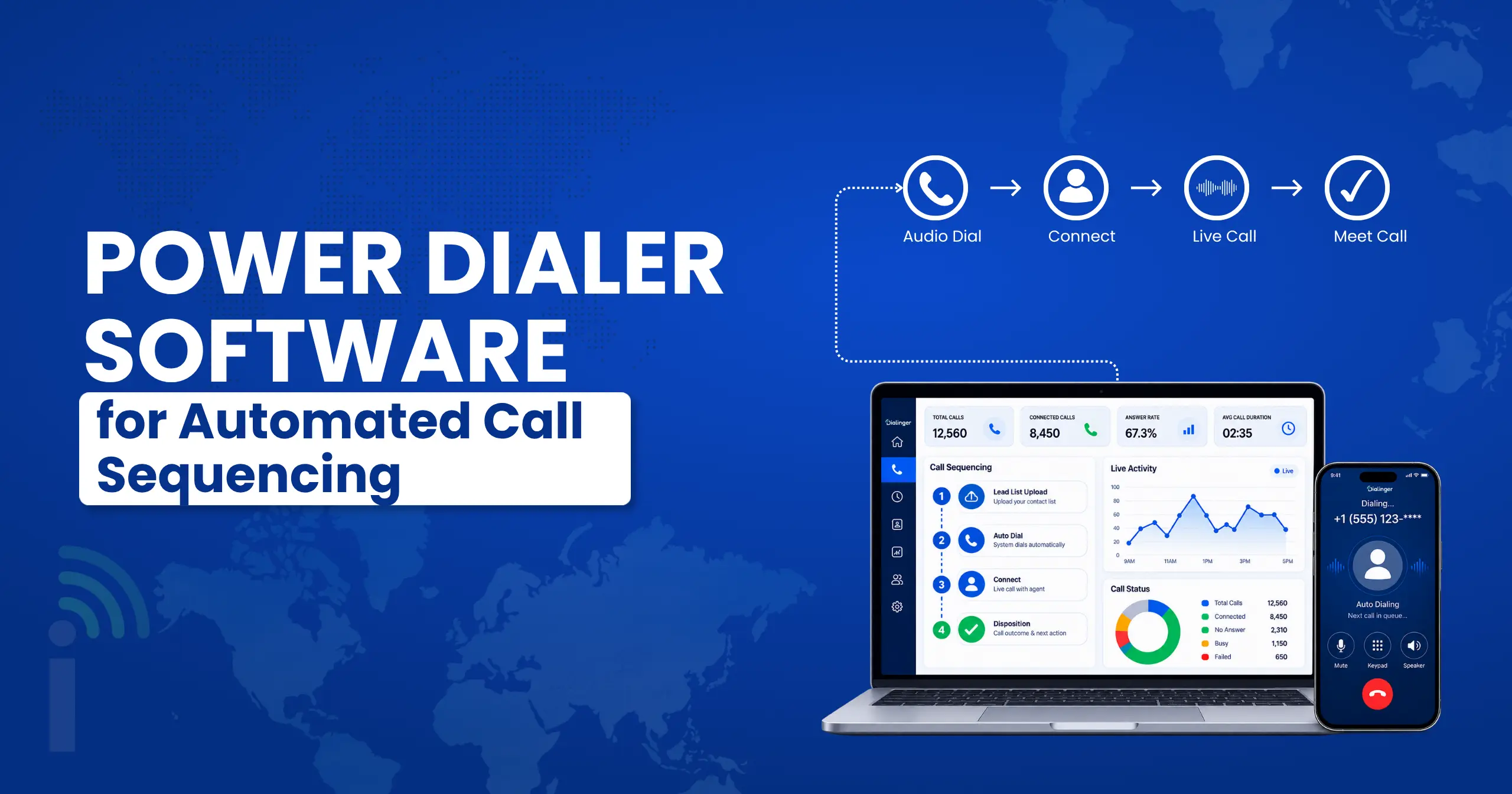
CRM Power Dialer Integration
This is often the single biggest factor in whether a power dialer actually gets adopted. A CRM power dialer setup means every call, note, and outcome logs itself automatically, no copying and pasting between separate tools after every conversation.
Teams using platforms like Salesforce care about this especially. A CRM power dialer integration means reps never have to leave their CRM to make a call, everything happens in one place, and the data flows back automatically. Without this kind of CRM power dialer functionality, reps end up doing double the work, dialing in one tool and logging in another, which defeats a lot of the time savings in the first place.
Built for the Sales
Teams
A power dialer built for sales teams isn’t just about individual reps moving faster, it changes how the whole team operates. Managers get a clearer view of who’s actually working their list, how many calls are happening each day, and where conversations are breaking down.
For outbound-heavy sales teams specifically, this tends to be the single upgrade that makes the biggest difference. Cold calling and prospecting live or die by volume and consistency, and the right setup removes the friction that usually causes both to slip.
Lightweight App vs. Full Team Setup
People tend to think of a mobile app version and a full team setup the same way, but there are a few points worth noting. The lightweight version usually means the mobile or on-the-go option, something a rep might use from a phone or tablet. The fuller setup typically describes something connected to a CRM, reporting dashboards, and team-wide call management.
For a solo rep or a very small team, the lightweight option might cover everything needed. For a growing sales floor, the complete setup tends to matter more, since it’s built to support multiple reps, shared reporting, and consistent call handling across the whole team.
Checklist while selecting Best Power Dialer Software
Searching for the best power dialer software usually turns up a long list of options, and most of them look similar on the surface. It is more important to look at what some power dialer software offers and what sets the best power dialer systems apart.
Automatic call progression
The system should move to the next number the instant a call ends, no manual clicking required.
Voicemail detection
A decent system recognizes voicemail and skips past it or drops a pre-recorded message instead of wasting a rep's time.
Call recording and coaching tools
Managers need a means to review calls and provide coaching to reps without having to monitor all of the calls.
Reporting dashboards
Real numbers on call volume, connect rates, and talk time matter more than gut feeling when it comes to improving performance.
Among the best power dialers on the market, the ones that actually stick around in a sales team’s workflow are usually the ones that handle these basics well, rather than piling on flashy extras nobody uses.
Changing Scenario with Power Dialer AI
Power dialer AI is showing up in more platforms lately, and it’s changing what these tools can do beyond just dialing faster. Instead of only automating the mechanical part of calling, power dialer AI features can flag which leads are worth prioritizing, transcribe calls automatically, or suggest what a rep should say next based on how the conversation is going.
For teams drowning in leads, power dialer AI helps them cut through the noise. Rather than working a list top to bottom regardless of quality, reps can focus first on the contacts most likely to actually convert.
Cheap vs. Pricing That Actually Makes Sense
Price matters, especially for smaller teams just getting started. A cheap power dialer can work fine for a small team making a modest number of calls a day. The risk shows up once a team scales, and a stripped-down tool suddenly can’t keep up with call volume, reporting, or CRM sync.
Rather than chasing the lowest number alone, it’s worth actually comparing pricing against what’s included. A cheap plan missing CRM sync or decent reporting often ends up costing more in the long run, through lost data, missed follow-ups, or a team working blind without visibility into what’s happening on calls.
Why Dialinger Is Worth a Look?
If you’re comparing options, Dialinger’s auto dialer system is built around exactly this kind of automated calling, moving through lead lists without manual dialing and cutting the dead time between calls. Paired with CRM integration, every call logs itself automatically, so reps and managers get a full picture without extra data entry.
For teams in search of an advanced call handling solution, Dialinger AI-powered features enhance typical dialing setups further. Full pricing details are available on the pricing page, so you can see exactly what’s included before committing to anything. If you’d rather see it running first, you can book a demo and walk through the setup with the team directly.
A good power dialer isn’t about making reps work harder, it’s about cutting out the parts of the day that were never really selling in the first place.
Frequently Asked Questions (FAQs)
What is a power dialer?
It’s a tool that dials through a list of numbers automatically, one after another, without anyone punching in each digit by hand. The moment one call ends, it’s already moving to the next.
How does a power dialer close more deals?
More calls made means more conversations had, and more conversations mean more chances to close. Reps using one typically get through two to three times as many calls in a shift compared to dialing manually.
Do power dialers leave voicemails?
Yeah, most decent systems recognize voicemail automatically and either skip past it or drop a pre-recorded message, so a rep isn’t wasting time leaving the same voicemail by hand over and over.
Does Dialinger provide local and toll-free phone numbers alongside its power dialer?
Yes, Dialinger’s setup isn’t just about the dialing piece, it also covers local and toll-free numbers, so outbound calling and a professional caller ID work together in one place.



