What Is Contact Center as a Service (CCaaS)? How It Works
Running a support or sales team used to mean rows of desk phones, a server room nobody wanted to walk into, and a technician on speed dial for every little hiccup. That setup is quickly becoming a thing of the past. More businesses are moving toward Contact Center as a Service (CCaaS), and once you see how it actually works, it’s pretty easy to understand why. The shift isn’t just about saving money either, it’s about giving teams the flexibility to actually keep up with how customers want to reach out these days.
This guide walks through what Contact Center as a Service actually means, how it works behind the scenes, the features that genuinely matter, and how it stacks up against similar sounding options like UCaaS. By the end, the difference between the various acronyms floating around this space should feel a lot less confusing.
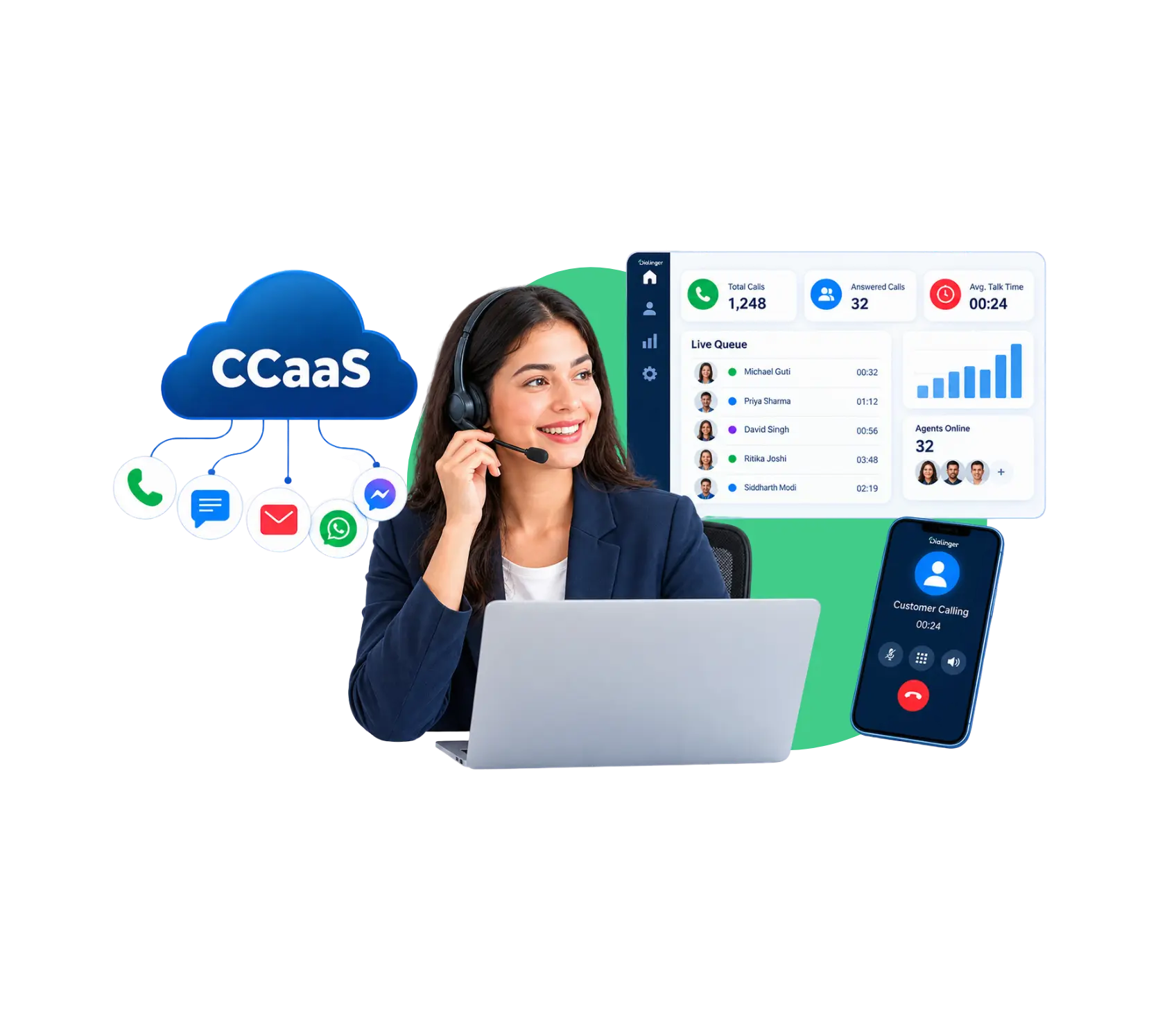
What Is Contact Center as a Service (CCaaS)?
Contact Center as a Service (CCaaS) is an on-demand cloud-based service that enables businesses to operate their customer service or sales functions without owning or operating their own call center. No need to install servers and telephones on-site, everything is done in the provider’s cloud and your staff only needs a device and an internet connection to start working.
This shift matters because traditional call centers were expensive to set up and painful to scale. Contact Center as a Service flips that around, giving growing businesses access to enterprise level tools without the enterprise level price tag or the headache of managing it all internally. A small team of five agents can now access the same kind of routing and analytics that used to be reserved for companies with dedicated IT departments and six figure budgets.
How Does Contact Center as a Service Work?
The mechanics behind it are more straightforward than people expect.
Step 1->The provider handles everything:Software, servers and infrastructure are all in the cloud and it’s all handled by the provider, not your own IT team.
Step 2->Agents login from anywhere: Whether in an office, a home setup or a different city, agents can start taking calls using just a browser or an app.
Step 3->Automatic call and message routing:Incoming contacts can be sorted and directed to the right agent or department by pre-set rules.
Step 4->Customer information remains synced: Past interactions and interactions are automatically populated into the account history, giving agents a head start on each new interaction.
Step 5->Supervisors monitor what’s going on: Dashboards allow and give them a view of call volume, wait times and agent activity without having to piece the numbers together.
Step 6->Updates roll out on their own: New features and fixes get pushed by the provider, so there’s no waiting on an IT team to install anything.
Put together, this basically removes the manual, hands-on work that used to come with running a call center, and replaces it with something that just works in the background.
Essential Features of a CCaaS Solution
A handful of features genuinely separate a solid platform from one that just looks good in a sales demo.
Smart call routing
Routing each contact to the agent who is the most suited to their problem, rather than the next agent in line.
Real time analytics
Real time dashboards instead of looking at it afterwards, showing performance, wait time, and volume.
CRM integration
Customer data automatically syncs with the tools the business already uses, so agents never have to type the same information twice.
AI powered assistance
Smart routing, sentiment detection, and automated responses that take pressure off human agents for repetitive tasks.
Without most of these, a platform really isn’t offering much more than a slightly nicer version of a traditional phone system. It’s worth actually testing these features hands-on during a trial period rather than just taking a sales deck’s word for how well they work in practice.
What Is an Omnichannel Contact Center in CCaaS?
An omnichannel contact center brings every communication channel, phone, chat, email, social media, text, into one unified system, so a conversation doesn’t fall apart just because a customer switched from one channel to another. This is a core part of what makes a modern CCaaS platform actually useful, rather than just another phone system with a new name.
Here’s how an omnichannel contact center actually improves agent productivity:
- No repeated information: Agents can see a customer’s full history regardless of which channel they’re currently using, so customers don’t repeat themselves.
- Enhanced task switching: Agents can manage a chat and a call in succession without needing to look up context in different systems each time.
- Even workload distribution: Contacts on all channels are distributed fairly, rather than chat sitting ignored while phones ring nonstop.
- Fewer missed follow-ups: Since everything lives in one place, a conversation that started on email doesn’t get forgotten once a customer switches to chat.
Businesses that skip building a proper omnichannel contact center often end up with exactly these problems, scattered context, frustrated agents, and customers who feel like they’re starting over every time they reach out.
We'd Love to Hear From You
Ready to expand your business globally?
Fill out the form below, and our team will help you choose the perfect number.
Key Benefits of Moving to a Cloud Contact Center
Shifting to a cloud contact center brings a handful of advantages that support the broader case for making this kind of move.
Lower upfront costs
There's no need to buy expensive hardware or build out a server room, since everything runs through the provider's infrastructure.
Faster scaling
Adding new agents during a busy season, or scaling back afterward, usually takes minutes instead of a lengthy procurement process.
Better reliability
A proper cloud contact center spreads operations across multiple data centers, so a single outage doesn't take the whole operation down.
Easier remote work support
Agents can work from anywhere with a stable connection, which matters a lot for businesses hiring beyond their immediate city.
Use Cases of AI Powered Contact Center Solutions
An AI powered contact center isn’t just a buzzword, it shows up in genuinely useful ways across different types of businesses.
- Automated first response: This is often the first thing people notice about an AI powered contact center, simple, repetitive questions get handled immediately, freeing human agents to focus on complex issues that actually need judgment.
- Sentiment detection during calls:Real time analysis flags frustrated customers early, so a supervisor can step in before a situation escalates further.
- Smart agent matching: AI routes a contact to the agent with the best track record for that specific type of issue, instead of whoever’s simply next in line. Over time, this kind of matching tends to lift resolution rates without anyone having to manually reassign a single call.
- Post-call summaries: Automatically generated notes save agents from manually typing up every interaction, which adds up to a lot of saved time across a busy day. Businesses adopting an AI powered contact center often notice this particular feature paying for itself within the first few weeks.
Key Differences Between CCaaS and UCaaS: CCaaS vs UCaaS
These two terms get confused constantly, so a side by side table usually clears things up faster than paragraphs of explanation.
| Area | CCaaS | UCaaS |
|---|---|---|
| Primary purpose | Managing customer facing interactions | Managing internal business communication |
| Typical users | Support and sales teams | Entire organization |
| Core features | Call routing, omnichannel support, analytics | Video conferencing, chat, file sharing |
| Customer interaction focus | Heavy, built specifically for it | Minimal, mostly internal collaboration |
| Reporting | Detailed customer service metrics | General usage and collaboration metrics |
| Best fit | Businesses with high customer contact volume | Businesses prioritizing internal team communication |
When people compare CCaaS vs UCaaS, the real takeaway is that they solve different problems entirely, and plenty of businesses genuinely need both running side by side rather than picking just one. A sales team might rely on UCaaS for internal meetings and quick messaging, while the same company’s support desk runs entirely on a CCaaS platform built specifically for handling customer volume.
Why Dialinger Is Worth Considering
Service, call routing, recording, analytics, and a virtual call center setup that doesn’t require any physical hardware to manage. Whether you’re running a small support team or scaling up a full customer service operation, having everything connected in one platform makes daily work a lot smoother. There’s no server to maintain, no technician to schedule, and no waiting around for an upgrade cycle just to get a feature competitors already have.
If you’re exploring a move toward a proper cloud contact center or still weighing CCaaS vs UCaaS for your business, Dialinger’s virtual call center solution is worth a look, especially if straightforward setup and predictable pricing matter to how your team operates. Businesses that land firmly on the CCaaS vs UCaaS question usually find Dialinger covers the customer facing side extremely well.
Frequently Asked Questions (FAQs)
What is Contact Center as a Service?
It’s basically a cloud based way to run your support or sales team without owning any of the actual hardware. Instead of a server room and a bunch of desk phones, everything lives with a provider, and your team just needs a laptop and decent internet to get going.
What's the actual benefit of moving to a cloud contact center?
Lower upfront costs for one, since you’re not buying servers or hardware. It’s also way easier to scale up during a busy season and back down afterward, and agents can work from literally anywhere with a stable connection, which is huge if you’re hiring outside your immediate city.
What's the difference between CCaaS and UCaaS?
CCaaS is built specifically for customer facing stuff, calls, support, sales. UCaaS is more about internal company communication, think video meetings and team chat. A lot of businesses actually end up using both since they solve pretty different problems.
What features should I actually look for when comparing options?
Omnichannel support is a big one, so calls, chat, and email all live in one place. Beyond that, look for smart call routing, real time dashboards, workforce scheduling tools, and solid CRM integration. If a platform’s missing most of these, it’s probably not worth it.



