IVR vs IVA: Which One Actually Fits Your Business?
Anyone shopping around for a business phone system has probably run into these two terms and wondered if they’re basically the same thing. They sound alike, they both answer calls automatically, and marketing pages don’t always do a great job explaining the difference. Understanding IVR vs IVA actually matters though, because picking the wrong one for your setup can mean frustrated callers stuck pressing buttons for something a smarter system could have handled in one sentence, or worse, paying for advanced technology your call volume doesn’t actually justify yet.
This solution breaks down what each one is, how they work, and where the real differences show up, so the IVR vs IVA question actually makes sense by the time you’re done reading. We’ll also cover how businesses actually use each one in practice, and how to get a simple auto attendant running if that’s really all you need right now.
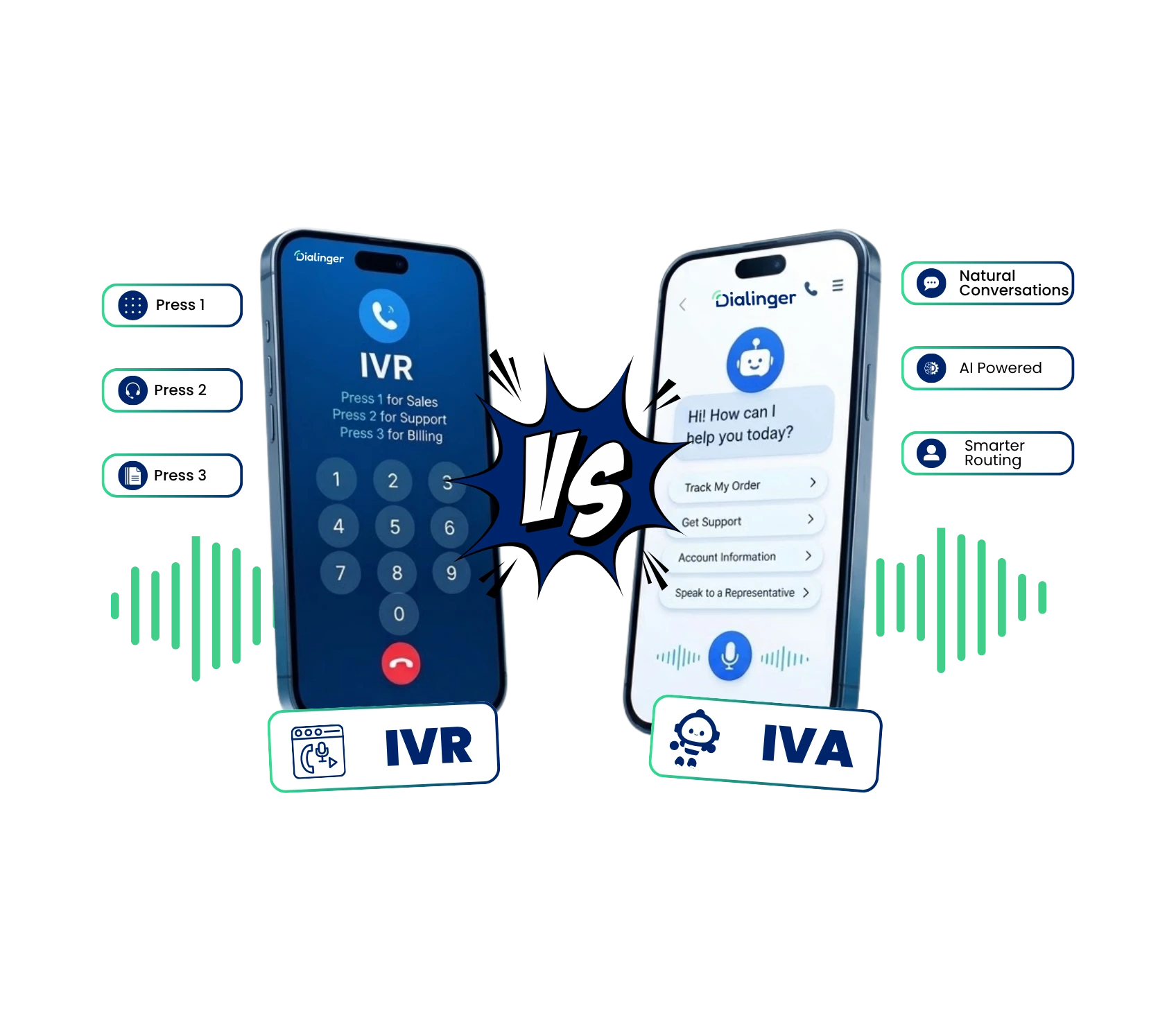
What Is Interactive Voice Response (IVR)?
Interactive Voice Response is the automated phone system that greets callers and asks them to choose from a list of options, usually by pressing a number on their keypad or saying a short word out loud. “Press 1 for sales, press 2 for support” is the classic example everyone’s heard a hundred times calling a bank or a utility company.
It’s been around for decades, and for a good reason. IVR gives businesses a way to sort incoming calls without a human picking up every single one just to ask “who are you trying to reach.” Instead, the caller sorts themselves, and the system routes them accordingly.
What Is an Intelligent Virtual Agent (IVA)?
An Intelligent Virtual Agent takes the same basic idea, automatically handling incoming calls, and adds a real layer of understanding on top of it. Instead of forcing a caller to press buttons, an IVA lets people just talk normally, the way they would to a human, and it actually understands what they’re asking for.
Say a customer calls and says “I need to check on my order that hasn’t shipped yet.” A basic menu system would have no idea what to do with that sentence. An IVA can pick out the intent, pull up relevant account information, and either answer directly or route the call to the right department, without a single button press.
IVR vs IVA: The Difference at Glance
Sometimes a table makes the comparison a lot easier to follow than paragraphs of explanation.
Aspect | IVR | IVA |
Callers interaction | Button presses or simple words | Natural, conversational speech |
Understanding | Follows a fixed menu tree | Understands intent and context |
Handling requests | Struggles, often loops back to menu | Handles multi-step questions smoothly |
Setup complexity | Simpler to configure | Requires more setup and training |
Cost | Generally lower | Usually higher due to added technology |
Best fit | Simple call sorting needs | Businesses handling varied, detailed requests |
Looking at IVR vs IVA side by side like this usually makes the decision a lot clearer than reading feature lists on separate pages.
How Do Businesses Use IVR and IVA?
Both show up constantly, just in different situations depending on what a business actually needs.
IVR tends to show up anywhere calls just need basic sorting: a company routing callers to sales, support, or billing, a clinic letting patients confirm or cancel appointments, or a utility company handling after-hours outage reports. It’s cheap, reliable, and doesn’t need much maintenance once it’s set up.
IVA shows up more in businesses fielding detailed, varied questions, banks helping customers check balances or dispute charges, telecom companies troubleshooting account issues, or larger support teams that want to resolve simple issues without tying up a human agent. The added cost usually makes sense once call volume and complexity both climb high enough that basic menus start creating more frustration than they solve.
Plenty of businesses actually use both together. A caller might start with basic IVR sorting, then get handed off to an IVA for anything requiring real back-and-forth conversation. That kind of layered setup, simple sorting first, smarter handling second, tends to give callers the best of both worlds without forcing a business to overspend on technology it doesn’t fully need yet.
We'd Love to Hear From You
Ready to expand your business globally?
Fill out the form below, and our team will help you choose the perfect number.
Choosing Between IVR and IVA for Your Business
There’s no universal right answer to the IVR vs IVA question, it really depends on call volume, budget, and how complicated your customers’ requests usually are. A small business with straightforward calls rarely needs the cost or complexity of a full IVA. A larger operation juggling detailed account questions might find that Interactive Voice Response alone leaves customers frustrated and looping through menus. It’s worth actually pulling up your own call logs if you have them, patterns in what customers ask for usually make the decision a lot more obvious than guessing.
The honest approach is starting simple. Most growing businesses do just fine with solid IVR or a well-built auto attendant, and only move toward a full Intelligent Virtual Agent once call complexity actually justifies the extra investment.
Features of IVR
The core components include a few items that are required to make it work:
- Menu prompts that lead callers through a set of options.
- Simple selection of options by touch-tone or basic voice recognition
- Call routing is done based on caller’s choice.
- After hours messages and voicemail facilities.
- Basic call queuing if all agents are busy
- Simple reporting of call volume and menu usage.
There’s nothing fancy under the hood to be had. This is a rule-based system which means that the rules are hardcoded: if the phone dials 2, route it to this location, if the phone dials 3, route it to this location.
It doesn’t understand the caller’s actual problem, just their menu selection. That’s not necessarily a bad thing either, plenty of calls really are that simple, and a fixed menu handles them just fine without needing anything smarter.
How Does IVR Work?
The mechanics behind Interactive Voice Response are pretty straightforward once you see them laid out:
- A call comes in and the system plays a recorded greeting.
- The caller hears a list of options, usually numbered.
- The caller presses a key or says a simple word matching one option.
- The system checks that input against a pre-built decision tree.
- Based on the match, the call routes to a department, extension, or voicemail.
- If the input doesn’t match anything, the caller often gets sent back to the main menu or to a live operator.
Every step follows a fixed script written ahead of time. There’s no interpretation happening, just matching input to a predetermined path. That’s exactly why it works so reliably for simple call sorting, and exactly why it struggles the moment a caller’s request doesn’t fit neatly into one of the pre-built options.
Features of IVA
Here’s what usually sets this kind of system apart:
- Natural language understanding, so callers can speak normally instead of picking from a list.
- Ability to pull account or order information mid-call to answer directly.
- Learning and improving over time based on real conversations.
- Handling multi-step requests without restarting the whole menu.
- Smooth handoff to a human agent when the request gets too complex.
- Works across channels, not just phone calls, in many modern setups.
Because it’s built on actual language understanding rather than fixed menu options, this type of system can handle a much wider range of requests without needing a human to step in. That said, it usually takes more setup time upfront, since the system needs training on the kinds of questions your specific customers actually ask, rather than just a short list of menu options.
How Does IVA Work?
An Intelligent Virtual Agent works differently under the hood:
- The caller speaks naturally instead of selecting from a list.
- Speech recognition converts what they said into text.
- Natural language processing figures out the actual intent behind the words.
- The system checks connected databases or account records if needed.
- It responds directly, asks a clarifying question, or routes the call to a human.
- The conversation continues naturally, even if the caller adds more detail partway through.
This is why it can handle a sentence like “actually, can you also check my last invoice” without breaking, something a basic menu system simply isn’t built to do. The system doesn’t need the caller to hang up and dial back into a different menu option, it just keeps following the conversation wherever it goes.
How to Set Up an Auto Attendant for SMBs
A handful of features tend to make the biggest practical difference on actual calls, day in and day out.
1. Map out your call flow first
Figure out the departments or people callers usually need before building any menu.
2. Keep the menu short
Three or four options beats a long list nobody wants to sit through.
3. Record clear greetings
A professional, easy-to-understand recording makes a real difference in first impressions.
4. Set up after-hours handling
Decide what happens when nobody's actually available to take the call.
5. Test it like an actual customer would
Call in yourself and see if it's genuinely easy to use, not just technically functional.
6. Review and adjust regularly
As your team or departments change, an outdated Auto Attendant for SMBs quietly starts sending calls to the wrong place.
None of this requires enterprise-level budgets or a dedicated IT team. A well-built Auto Attendant for SMBs can be running within a day for most small businesses, and it usually covers 80 percent of what a growing company actually needs from call handling. The remaining 20 percent, the trickier, more detailed requests, can always be routed to a live person until the business genuinely outgrows a basic setup.
Why Dialinger Is a Solid Place to Start
Dialinger makes it easy to set up exactly this kind of call handling without needing a huge budget or a dedicated tech team. Its built-in IVR feature covers the automated call sorting side well, routing callers to the right department automatically, while the platform’s broader call handling tools give growing businesses room to add more advanced options later if their needs get more complex.
Whichever side of the IVR vs IVA debate your business currently lands on, Dialinger gives you room to grow into whatever comes next without starting over from scratch.
For small and medium businesses trying to decide on IVR vs IVA, Dialinger is a practical place to start, since it lets you set up a reliable auto attendant quickly, without locking you into more complexity than you actually need right now. You can book a demo to see how it fits into your setup before committing to anything bigger.
Frequently Asked Questions (FAQs)
What's the actual difference between IVR and IVA?
IVR is the classic “press 1 for sales, press 2 for support” system, it follows a fixed menu and doesn’t really understand what you’re saying. IVA is smarter, it lets people talk normally and actually understands the request, instead of forcing them to pick from a list.
Can an Intelligent Virtual Agent actually understand what a customer is saying?
Yes, that’s basically the whole point of it. It uses natural language processing to figure out the intent behind what someone says, pull up account details if needed, and either answer directly or route the call to the right person.
Can businesses use IVR and IVA together?
Definitely, and a lot of them do. A caller might start with basic IVR sorting to reach the right department, then get handed off to an IVA if the request needs more detailed, back-and-forth conversation.
How does IVR actually work behind the scenes?
It’s pretty simple, honestly. A caller hears a recorded menu, presses a number or says a basic word, and the system matches that input to a pre-built path. If nothing matches, it usually loops back to the main menu or sends the caller to a live person.



